The Question of Editing
July 13, 2019
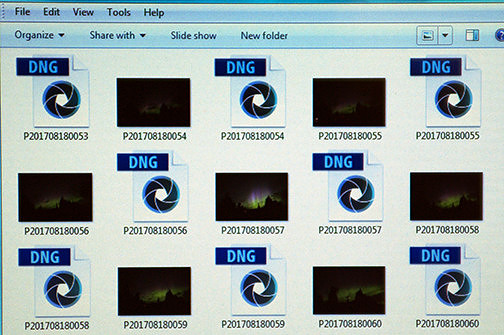
Photo editing software has been available to the public for longer than most people realize. With all the advances in technology, we have a tendency to think of editing as a relatively new thing, but it’s not. While photographers have been editing photos in the darkroom for over a century, in terms of computer software, Adobe’s Photoshop program has been in production for over 25 years. Today, there is a multitude of editing programs out there, and more are being created all the time as apps on smart phones and tablets, as well as for traditional computers. However, it is Photoshop that has really become ingrained in the public consciousness, so much so that the name itself has become a verb. It is quite common to hear people asking if an image has been ‘photoshopped’, often questioning whether it is real or not, whether it has been edited or not. As with many things in life, and in photography in particular, this phenomenon has led to a debate. On the one hand, you have those that do not want to have any editing or post-processing of any sort done to images. On the other hand, you have those who feel that editing is a necessary part of the process to achieve their artistic vision. Before getting into the debate, you have to consider the medium the photographer is using to shoot. What most people don’t realize is that when you go to take a photo with today’s digital cameras, you have two choices for file type – JPEG or RAW. Most everyone is familiar with JPEGs. They are your standard image files that can be opened or viewed by any operating system out there. They are the images you take with your phone and see on Facebook or Instagram or anywhere else on the web. When you take a photo in JPEG format, what you see is what you get. There are no surprises, and there are no requirements to edit the image. It’s entirely up to you as the photographer if you want to edit it or not. For comparison purposes, think of JPEG images as slides from the film days. You take the photo, then view the results, end of story. In contrast, RAW files are not actually image files. They are data files. When looking at them in a folder on your computer, you don’t see thumbnail images. And, only certain programs can be used to open them, let alone edit them. This means that all RAW files MUST have some editing done to them to turn them into image files. Think of them as negatives from the film days. If you held up a negative to the light, the image wouldn't make any sense. You had to process them as a print in order to make sense of the image. In fact, RAW files are often referred to as digital negatives.
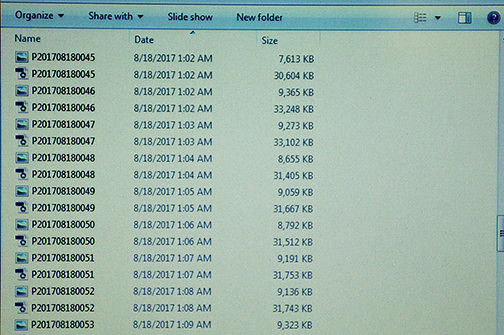
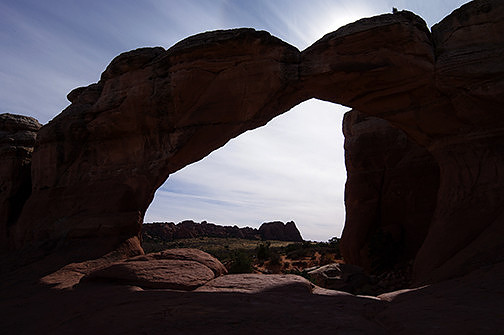
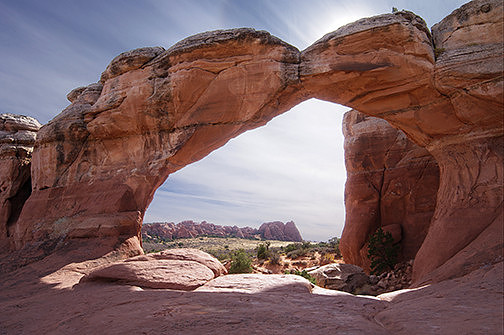
As you can see, the JPEG files are a lot smaller than the RAW files of the same image, 7-9mb versus 30-33mb.
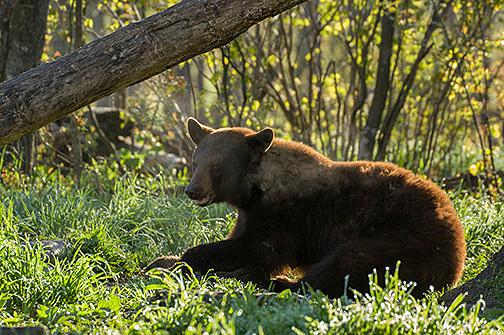
Now, you may be asking why anyone would choose to shoot RAW given they aren't image files. The reason is because of data, information. Those files contain so much more information than a JPEG file does. What this translates to is when editing the file, you can ‘recover’ more detail from a single RAW image than from a JPEG. To give an example, let’s say you’re trying to photograph this beautiful scene that is very contrasty with both very bright areas (maybe sky, maybe snow) and very dark areas (shadows in rocks or trees). If you took that same image twice with the exact same settings, once as a JPEG and once as a RAW file, you would find that the JPEG might have the shadows go completely black to save the highlights or the highlights blow out to get some detail in the shadows or possibly even both. The range between the brightest points and the darkest points in that single image might be beyond what the JPEG file can portray. The sensor in the camera, however, may well have been able to capture that entire range. So, with the RAW file, you would be able to see all of the data that the camera actually recorded. In the editing software, you could darken down the highlights to make the details visible, and also brighten the shadows to see the detail there, as well.
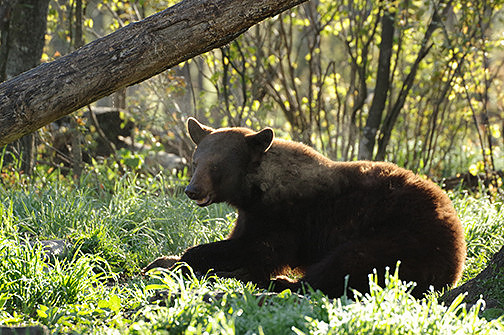
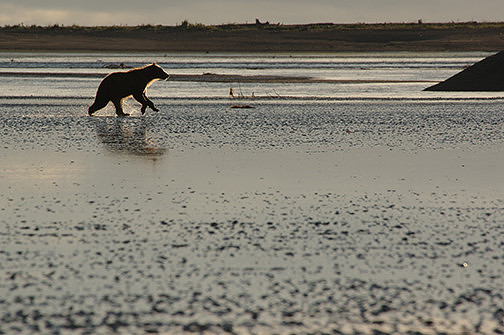
This is the JPEG version of the image. Notice most of the body is really dark, and the highlights of the grass are really bright white. If I edited this photo, I could get a little detail in the shadow because of how I exposed it, but I would never be able to do anything with the grass.
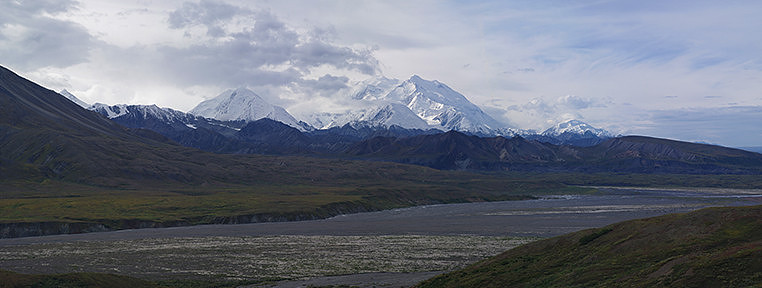
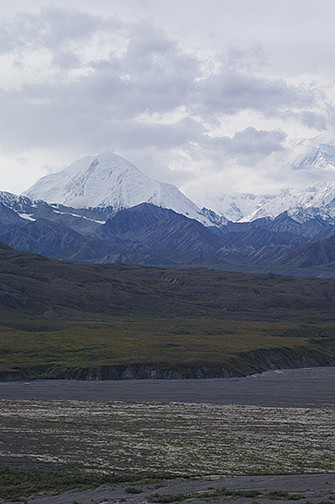
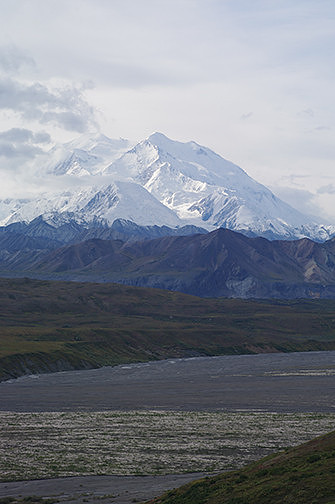
Because of this greater amount of detail in a single image, the majority of professional photographers choose to shoot in RAW. Since they are not technically image files, they require some editing or post-processing to turn them into image files, and that is without any additional editing done that the photographer may choose to do. Also, most people don’t realize that when shooting JPEGs, the camera actually has a computer inside that does some processing for them. All JPEGs are ‘pre-processed’ in camera for contrast, color adjustments, and sharpening. The RAW files don’t have any of this processing done by the camera, and therefore each and every image requires post-processing for those items alone for that simple reason. Otherwise, they would generally have a dull, flat, and slightly soft look to them once converted to an image file with no other processing. So, the debate isn’t as clear-cut as one versus the other. Most photographers fall somewhere between the two extremes, and due to the nature of the medium, if someone asks was it ‘photoshopped’, chances are the answer will be yes. However, neither of these extremes is wrong; any answer or position on the continuum is perfectly acceptable. Every photographer has to make a personal choice for each image based on what their end goal is for that image. Let me elaborate. If a photographer is shooting a particular photo for journalism purposes, generally speaking, there can be no editing of the photo, as it is meant to portray the ‘truth’. Also, certain publications or photo contests, such as National Geographic or Smithsonian’s Nature’s Best, have similar restrictions with only minor editing, for brightness or contrast for example, allowed. If, however, a photographer has the goal of creating the best possible image to sell as a Fine Art Print to hang on someone’s wall, then the sky’s the limit for what the photographer may choose to do to accomplish that goal. The other thing to consider is that ‘editing’, ‘post-processing’, or ‘photoshopping’ means different things to different people. There are adjustments to the exposure, adjustments to the color balance (either for artistic interpretation or to make the image more accurately resemble what you saw with your eyes at the scene), removal of dust spots or distracting elements that you couldn’t remove on location, and techniques for making the image clearer, crisper, sharper, fixing lens distortion, chromatic aberration, and many more. There are also tools to help you create an image that reflects the majesty of what you saw before you that wasn’t possible with only one frame. Here, I’m referring to panoramas, focus stacking, and exposure blending. As fantastic as modern-day digital cameras and lenses are, they still have certain limitations. If a scene is vast and the photographer wants to capture it in one final image, they have two choices – use a wide-angle lens or take multiple images and combine them to create a panorama. The thing about wide-angle lenses is that they make things appear smaller and farther away than they truly are unless they are very close to the camera. So, that might not work for the final image you have in mind. So, instead, you take a series of images with a longer lens that keeps everything either the way your eye sees it or zooms in for an even closer and bigger view, then combine them in the computer to make one final image.
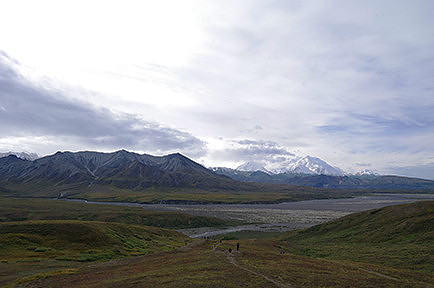
This is a wide-angle shot of Mt McKinley in Denali National Park. As you can see, the highest peak in North America looks really tiny in this image.
Conversely, you might be doing macro photography. The closer a subject is to the lens, the less depth of field is in the frame. This means only a small area is in focus. If you’re not going for a look where only part of the subject is in focus, your only option is to do focus stacking. In this case, you have the camera in place on the tripod and leave all settings the same. Then, you take a series of images where the only thing changing is the spot you focus on. Then, you combine those images in the computer into one final image showing the entire subject in focus.
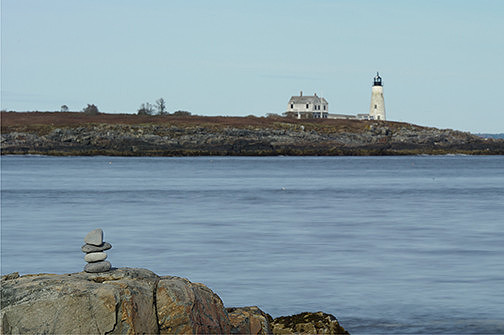
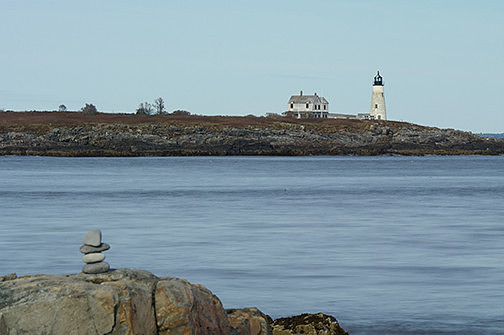
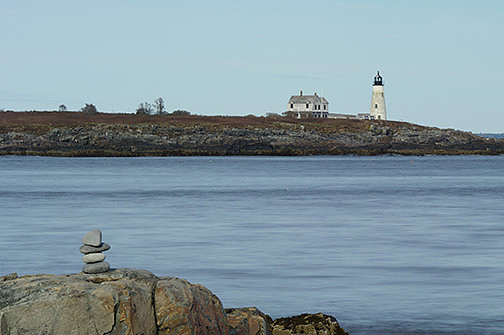
In this image, only the foreground is in focus. It might be hard to see in this small-sized image, but the lighthouse in the back is blurry. This is because it was beyond the depth of field available to the particular lens I was using. In fact, the rock at the bottom right covered in seaweed is also blurry, as it too was beyond the range of focus available with this lens.
Exposure blending is similar to focus stacking. Let’s say you’re at the ocean at sunset. You have an amazing foreground, interesting wave action in the midground, and a fantastic sunset with explosive color in the sky and clouds. You want to capture all of that. You use grad filters to help but find that the sky is still too bright in relation to the foreground. Either you’d get the foreground exposed correctly but have the colors of the sky washed out, or you'd capture the colors in the sky but have the foreground too dark. The solution is to take a series of shots. Once again, the camera is on a tripod, but this time the only thing changing between each shot is the exposure. You then bring the series of photos into the computer to combine them into one final image that looks as if you’re standing back there by the water once more.
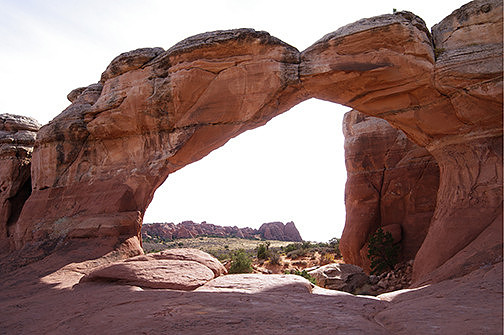
In this image, the sky is completely blown out with almost no detail in order to allow the detail of the rocks to be exposed correctly.
These are all tools for the photographer to create the best possible image. They can be used simply to recreate the subject as the photographer saw it or to enhance it to show the subject in the manner and mood the photographer wants the viewer to experience it. There are other tools in the editing world as well. They include using filters to completely change the ‘texture’ of the image, such as giving it an oil painting or watercolor type look. Even something as simple as using a nifty filter in the app when uploading an image to Instagram is technically a way of editing the photo.
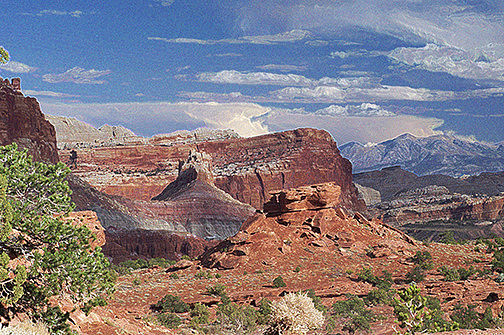
This is a photo that I applied a filter in Photoshop called Paint Daubs to in order to give it the appearance and texture of a painting. Capitol Reef National Park, Utah But, the tools photographers have at their disposal also go beyond all of these types of edits into the world of compositing, combining photos into one image. Compositing is generally considered something different from the blending I referred to earlier. Instead, an example of a composite would be an image where the foreground was from one date and/or location and the sky was from a different date and/or location. Again, there is nothing wrong with this so long as the photographer is not using the image in one of those scenarios where it’s not allowed (as discussed before) and doesn’t try to claim it was taken as a single image. If the purpose is Fine Art or the photographer is transparent and clear about the fact that it’s a composite, then that is perfectly fine. They had the vision and capacity to make a beautiful image, so that’s wonderful.
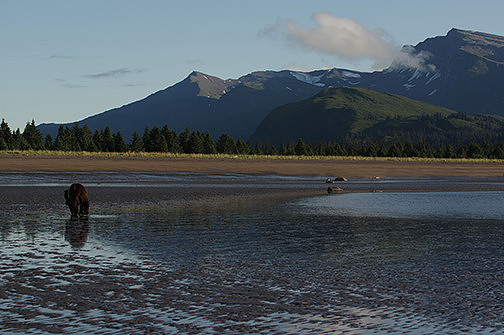
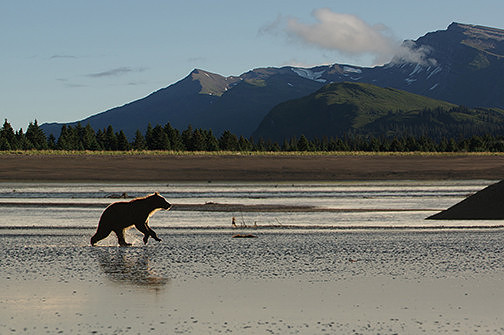
This image shows a backlit bear running across the wet beach, but the rest of the image is pretty dull.
For myself, at this time in my life, I shoot in JPEG and do very little editing of my photos. That is a choice I make for multiple reasons. One, to me, the most important thing is not the end result of the photo itself. I shoot for the love of the process of getting the image. I have spent all these years focusing on learning to become a better photographer. I want to know how to get the best possible result in camera in a single image and whether I’ve achieved the skill to get that result. I shoot fully manual and not in any of the auto-modes, which are so common for most photographers, for the same reason. Two, I like the ‘what you see is what you get’ aspect with JPEGs. My style of photography means that I am more inclined to try and capture the world as it is. When you shoot RAW and then have to post-process the image later, much of that is done based on memory. While that is fine for many photographers, as is the choice to make changes based on artistic vision, I am not completely comfortable with that for my own photography. Also, I don’t want to be required to post-process just so I can view my images. I personally don’t want to spend lots of time behind the computer editing, as I already sit at the computer way too much as part of my day job. I’d rather spend my time outside behind my camera because being out there with the camera is what I enjoy most. Now, don’t get me wrong. I am not shooting for a client or on assignment. If it were vitally important for me to ensure that I had the perfect image, then the situation would be different. I might just shoot in aperture-priority or shutter-priority mode, use autofocus, and shoot in RAW to get the best possible outcome. I also love computers and do love learning new things, so I certainly understand it when people enjoy editing as much as being behind the camera. That’s just not how I want to spend my time. Finally, I don’t want to fall into the crutch of using the computer to ‘fix’ my photos. Programs like Photoshop make it very easy to start thinking like that – ‘Oh, I’ll just fix it later in post.’ These are only my thoughts on my own photography and not a statement of position in the debate. I have no intention of declaring what anyone else should do or not do, and I am in no way judging other people's decisions. This also does not mean that I am opposed to shooting in RAW or doing any editing on the computer in Photoshop. In fact, I really enjoy using certain filters in Photoshop to give some of my images the look of a painting or drawing, transforming them entirely from something other than a simple photograph. It can be hard when we hear someone ask if one of our images was photoshopped due to the often negative connotations behind that question. It can also be hard when you hear photographers at the extreme ends of the scale debating about the right way, to post-process or not. It can cause you to question yourself and your decisions, creating a dilemma that can seem difficult to overcome. As a photographer, though, we each of us have to come to our own conclusions about how much post-processing we want to do. It depends on the type of medium we are shooting with and what our goals for each photograph we take are. It’s not set in stone. We have the freedom to change our mind or do different things for different images or for different stages in our lives. Remember, no choice is wrong. You are an artist, and whatever methods you choose to help you achieve your vision are right for you. ~ ~ ~ ~ ~ ~ ~ ~ Click here to see more images with creative filters. |